Know what you sold, and what you actually made.
SokoFlux tracks your stock, sales and expenses, then shows the profit left over. Built for shops in Tanzania.
14-day demo · Assisted setup
Demonstration data
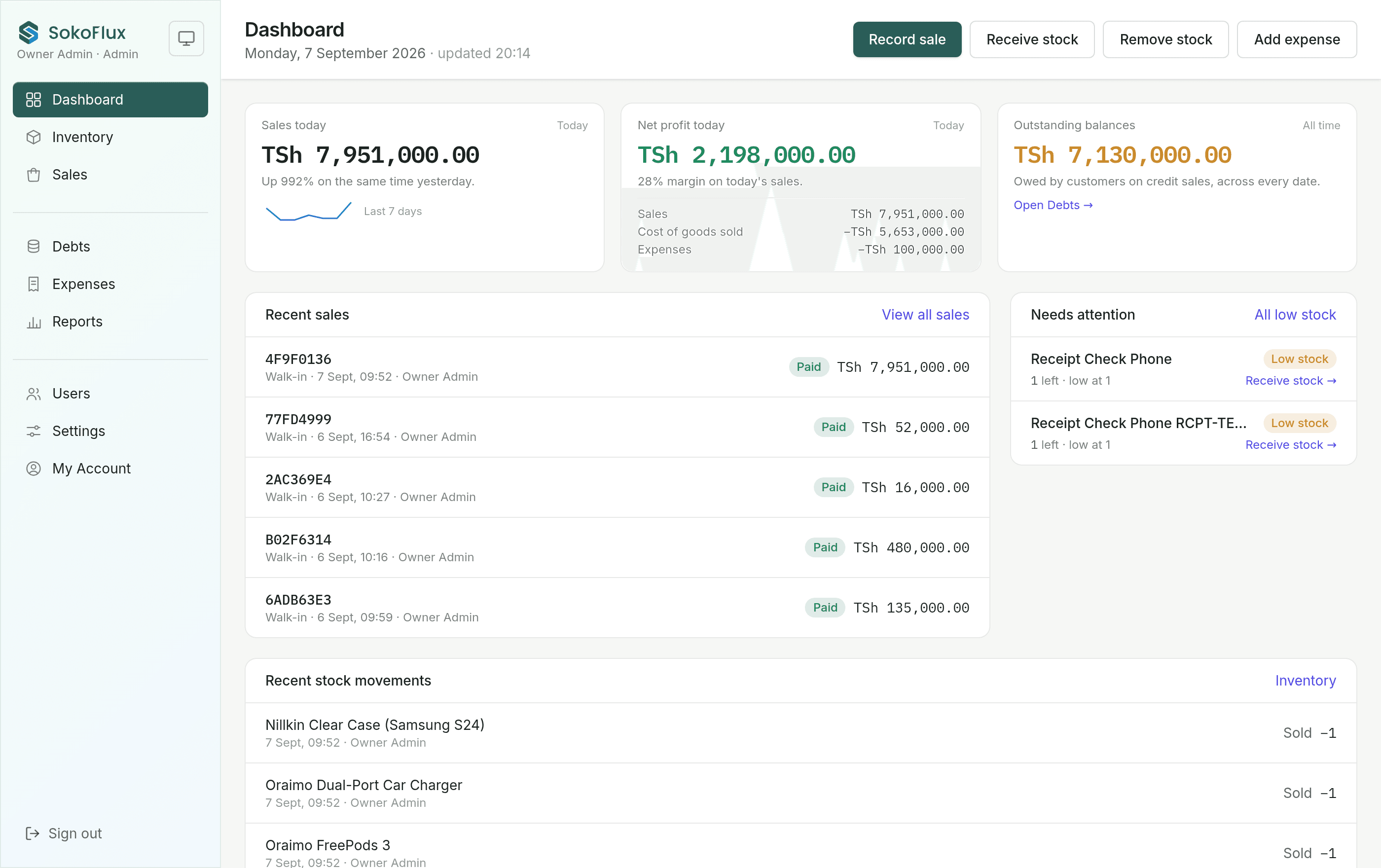
Sell and track stock together
Every sale moves stock and profit at once
Ring up a sale and the stock count drops with it, at the cost you actually paid. The profit figure is right without a spreadsheet to reconcile.
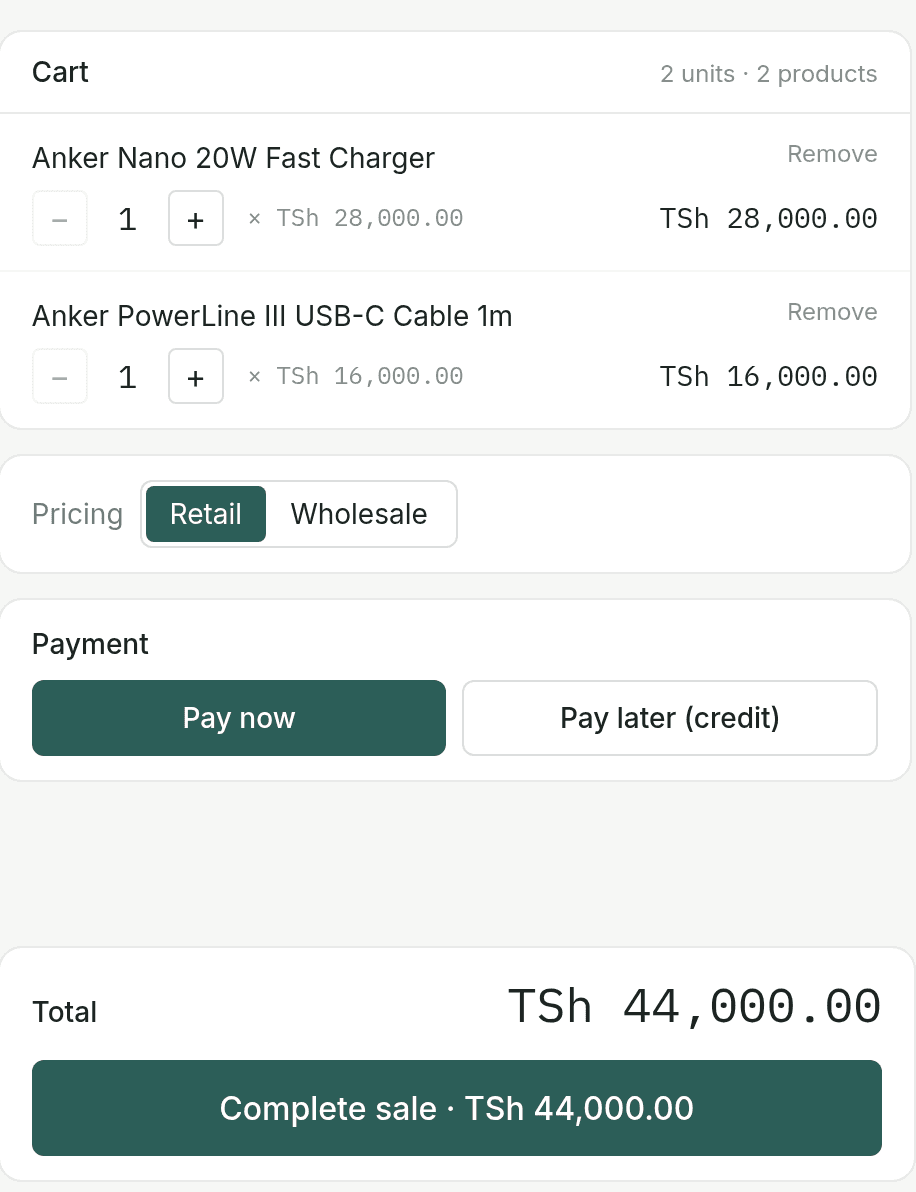
- Cash now or on credit, in a couple of taps
- Low stock is flagged before it runs out
Demonstration data
Understand your profit
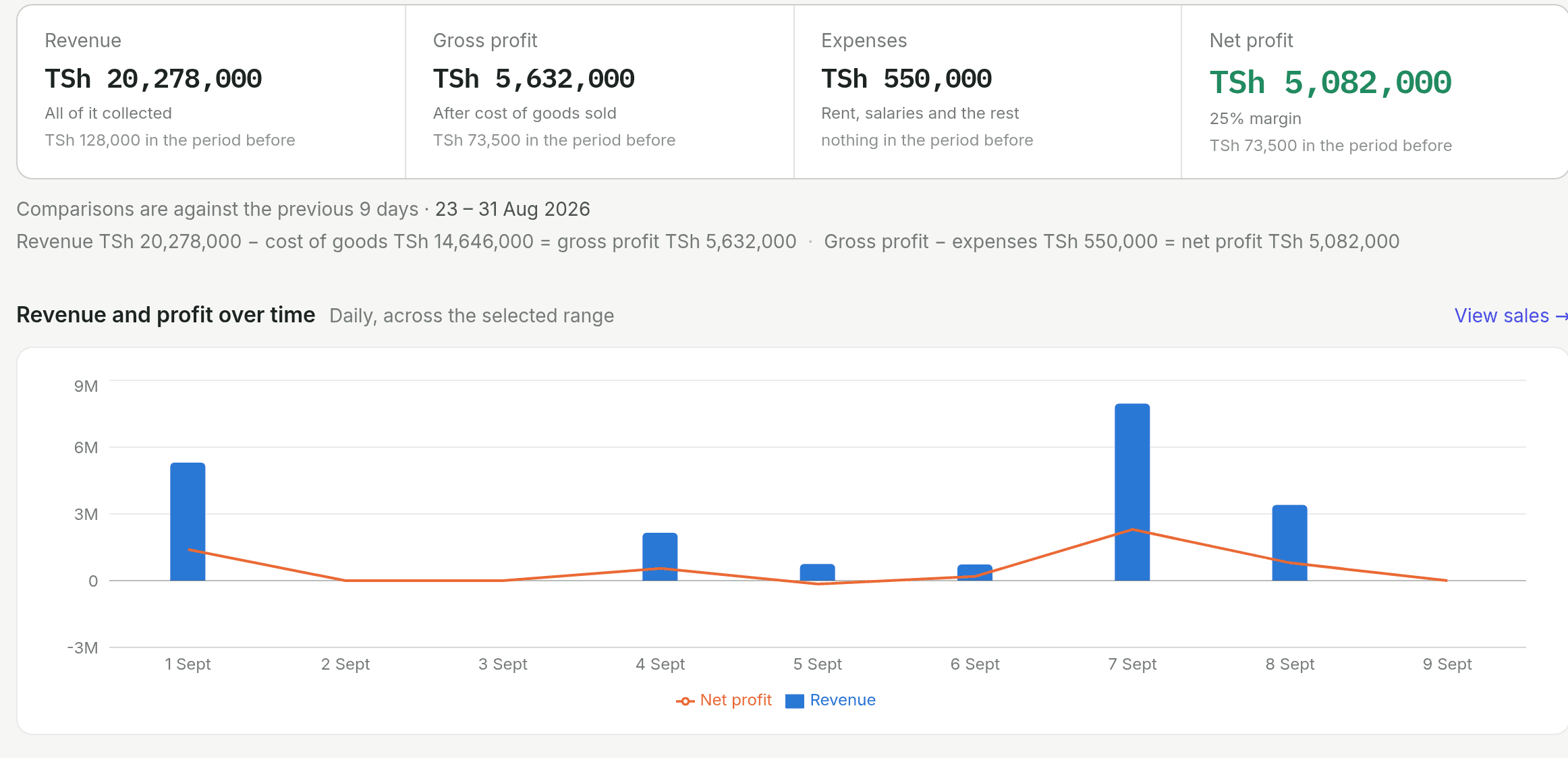
The number that matters, worked out for you
Pick a date range and see profit after the cost of goods and expenses — not just revenue. The daily trend shows whether a good week really was one.
- Revenue, cost of goods, gross profit and expenses in one view
- Print or export to CSV
Demonstration data
Keep control of your business
Know who owes you, and who can do what
Track every credit sale to the balance still outstanding, and give each staff member their own login with exactly the access you decide.

Demonstration data
Per-person permissions
- See cost prices
- Void a sale
- Adjust stock
IMEI and specs, captured at the till
Phone and electronics shops can require the serial, colour and storage of each unit sold. It prints on the receipt.
Receipts a customer can check
Every receipt carries a QR code. Scanning it confirms the shop, the amount and the date — no taking your word for it.
Receipt 4F9F0136
7 Sept 2026 · TSh 89,000.00
Verified
From asking to selling
Accounts are set up with our help, so you don't start in front of an empty system.
Request a demo
Message us on WhatsApp or call. Tell us what you sell and roughly how many products you carry.
We help you set up
We create your business, load your products and prices, and add a login for each staff member — nothing to configure alone.
Start using SokoFlux
You and your team sign in on the phones you already have and begin recording sales, stock and expenses.
One yearly price
Both plans include the whole product below. The only difference is how many people sign in — Multi staff adds a login and tailored permissions for each person. Every business starts on a 14-day demo, set up with our help before it begins.
Single staff
For one person running the shop.
TSh 2,000,000per year
≈ TSh 167,000 per month
One login
- Inventory, sales and stock movements
- Profit and loss reports
- Expenses and credit tracking
- IMEI capture and verifiable receipts
- Print and CSV export
Multi staff
For a team on the shop floor.
TSh 2,500,000per year
≈ TSh 208,000 per month
A login for every staff member
- Inventory, sales and stock movements
- Profit and loss reports
- Expenses and credit tracking
- IMEI capture and verifiable receipts
- Print and CSV export
Plus, for teams
- Per-person permissions (cost prices, voids, stock)
- Activity log by staff member
- Warehouse and shop-floor stock
Questions people ask
Does it work on a phone?
Yes — it's built for the phone first, and staff can add it to the home screen so it opens like an app.
Do I need internet all the time?
You need a connection to record a sale, a payment or a stock change. If it drops, the screen you're on stays put and tells you, a half-typed sale is kept on the device, and an interrupted sale won't be recorded twice.
Can staff see my profit and cost prices?
Only if you allow it. On the Multi staff plan, cost prices, voiding a sale and stock changes are switched on or off per person, and Reports and Expenses stay admin-only.
How do I get set up?
We set the account up with you — your business, your products and prices, and a login for each staff member — so you start with a system that already fits your shop.
What happens when the year is up?
You get a warning in the app a week before, then a short grace period after the date rather than being cut off on the day. Renew and everything carries on.
See it on your own shop's numbers
We'll set up a demo with your products and walk you through it. No commitment, and nothing to install.
Or reach us on WhatsApp, call +255 689 069 821, or email sokoflux@gmail.com.